


Lighter for Philips Hue Lights
3.872.00 Reviews
App Specs
- Version
- 1.0.142.30
- Updated On
- License
- Free
- Downloads
- 100,000+
- Developer
- A Better Home, LLC
- Categories
- House & Home
- Platform
- Android
Screenshots
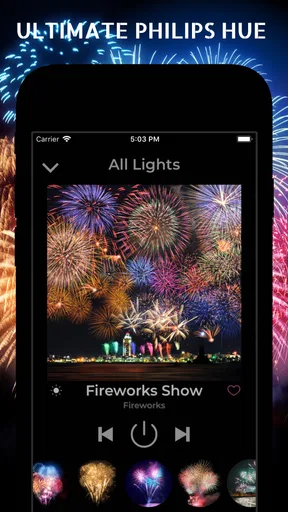
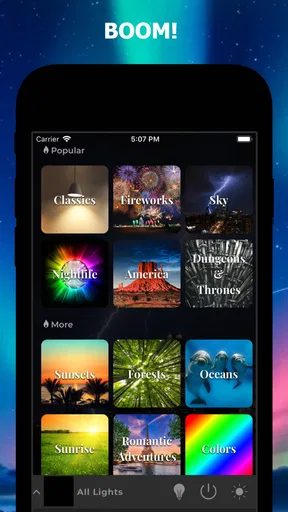
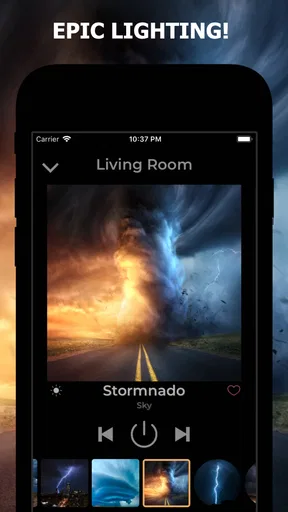
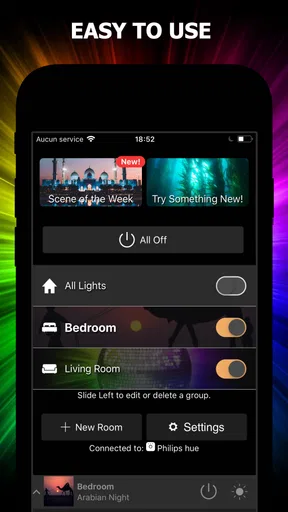
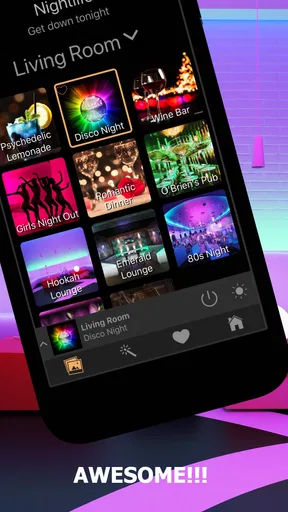
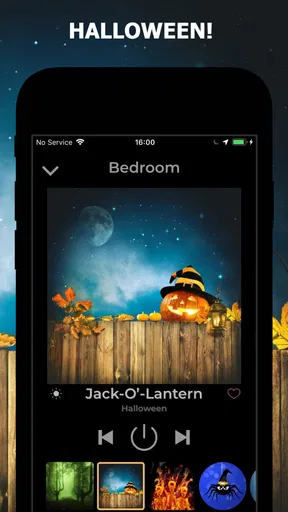
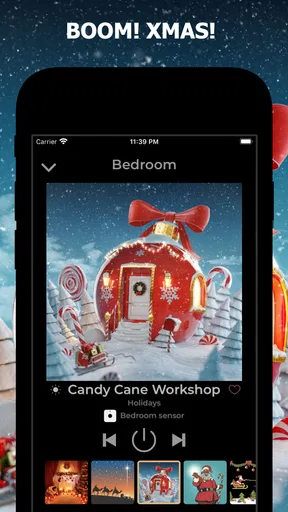
 Analysis by AppCompare
I find that Philips Hue lighting is at its best when I can change the feel of a room without stopping what I’m doing. That’s the idea behind Philips Hue Lights: a dedicated lighting app from A Better Home, LLC, aimed at making Hue scenes and effects part of everyday life. Its focus makes sense if you already enjoy experimenting with smart bulbs, though it is less compelling if you only need a dependable on-and-off switch.
When the network becomes part of the lighting
Hue control is not just a question of tapping a scene; the connection between your phone, the app, and your lighting setup affects how immediate that tap feels. The app’s setup flow is built around connecting to a Hue Bridge, so I would treat a working home network and an available bridge as practical prerequisites rather than assume the app can control lights independently. If discovery or a scene change stalls, checking that the phone and Hue equipment are on the expected home network is a sensible first step.
That dependency matters most during quick transitions. If I’m settling in for a film and want to soften the room, a responsive scene change feels effortless; if the connection hesitates, the same small task becomes a reminder that smart lighting has several links in the chain. I would set up and test the scenes I use often before guests arrive, rather than making the first attempt while everyone is waiting for the room to change.
There is also a useful distinction between choosing a preset and designing a look for a particular room. A scene that feels relaxing in a bedroom may be too dim or too warm for a shared living area. I’d test favorite choices at the times I actually use them, then keep a small, memorable selection for routines such as winding down, reading, or hosting. That makes the app’s creative side more practical instead of turning every lighting change into a browsing session.
How it fits into a day, at home and away
This is a House & Home app, and its strongest case is a home where Hue lights already play a visible role. For example, I might use a calmer scene while getting ready in the morning, switch to brighter room lighting for chores, then pick a softer preset after dinner. The benefit is not that every moment needs a special effect; it is that a few well-chosen scenes can make repeated changes easier than adjusting several bulbs one by one.
For a realistic evening, imagine friends arriving while music is already playing. I would choose a scene before they get there, make sure the Hue connection is responding, and then use the lighting to add atmosphere without pausing to build a look from scratch. That is a better use of a scene library than treating it as a novelty catalogue. The music-sync idea may appeal to people who want more animation, but I would keep it as an occasional extra: movement can be fun for a party and distracting during dinner or conversation.
Mobile use has a practical trade-off. A phone gives me a convenient way to adjust lights while I’m already in the room, but it is not always the quickest control when my hands are full or the phone is elsewhere. The original review describes voice-control integration, which can help in those moments if the setup works in your home. If you prefer a wall switch or a simple control that anyone in the household can use without learning an app, that familiar option may remain easier for everyday access.
Worth Reading Before You Choose

EA SPORTS FC Mobile 26 Is a Bigger Football Game, but It Takes Time

Flipboard Shows What News Apps Must Do Beyond the Feed

Switching to Android Auto Means Rethinking Your Driving Routine

Google Calendar Makes a Crowded Week Easier to Manage

Ludo King Makes the Most of the Minutes Between Plans

Baby Panda World Brings Quick Play to Modern Phones, but Its Game Library Feels Busy
What to do when a scene does not respond
The occasional lag between scenes is worth taking seriously, even if it is not a deal-breaker. I would avoid repeatedly tapping different presets when the first command seems delayed; that can make it harder to tell which change the lights are processing. Give the connection a moment, check whether the Hue setup is reachable, and try one deliberate command again. For a scene you rely on, test it at a quiet time and keep a simpler lighting option in mind for occasions when a quick, predictable result matters more than atmosphere.
It also helps to separate a scene problem from a general control problem. If none of the lights respond, the connection or bridge is a more likely place to start checking than the look of a particular preset. If ordinary control works but one chosen scene is unsatisfying, the issue may simply be that its color or brightness does not suit that room. Thinking through that distinction can save time and keep experimentation from becoming needless troubleshooting.
There is a broader recovery lesson here: avoid making the app responsible for every basic lighting need. I would keep an ordinary, easy-to-reach way to operate the room available, especially for shared spaces, children, or visitors who may not have the app. That is not a criticism unique to this product; it is a sensible backup for a connected home. A lighting app should enrich a routine, not make turning on a lamp feel like a technical task.
Privacy-minded habits and practical alternatives
Because this app is used to control connected lights, I would think about data-conscious use in straightforward terms: install it only if its Hue-focused tools are useful to you, review the app’s current permissions and privacy information on your device, and avoid granting access that does not make sense for the features you choose to use. I would not assume that music-related effects require any particular permission or that the app handles personal information in a specific way without checking its current settings and disclosures.
Compared with using the standard Hue controls, a separate app is worth considering when its scene and effect options match how you like to use your lights. The official controls may be the better choice if you want one familiar place to manage your Hue setup or prefer fewer apps in your home. A physical switch is still more direct for a quick on/off action, while voice control can suit hands-busy moments. I see this app as an optional creative layer, not an automatic replacement for every other way of controlling lights.
Who will get the most from it
I’d recommend trying it if you already own Hue lighting, enjoy changing the mood of a room, and are comfortable relying on a phone and a connected setup. It is a weaker fit if your lights are not part of a compatible Hue arrangement, if you want a control method that never depends on a phone or network, or if you rarely change anything beyond brightness and power. Those users may be happier keeping their setup simple rather than adding another interface.
The app is free to install and is rated for Everyone, with optional in-app purchases listed from under a dollar to around thirty dollars per item. That makes it reasonable to explore cautiously: I would first decide whether the basic scene experience suits my home, then consider any paid options only if I have a specific use for them. The app has a 3.8 average from around 690 ratings, with more than 70 written reviews, and over 100,000 installs. It was released in October 2018; the current version is 1.0.142.2 and it requires Android 7.0 or later.
Setting Up and Getting Started
First things first, getting started with the Lighter app is a breeze. After downloading it from your app store, the installation process is straightforward. The app guides you through connecting to your Hue Bridge, and before you know it, you're ready to dive into a world of lighting possibilities. The interface is super user-friendly, which is a breath of fresh air compared to some clunky home automation apps out there.
Features That Shine
Now, let's talk about what sets this app apart. One of my favorite features is the extensive range of pre-set lighting scenes. Whether you want to create a calming atmosphere with "Zen Mode" or turn your living room into a disco with "Party Mode," the options are endless. The app even allows you to design your own scenes, giving you the power to customize the lighting to your exact preference. Imagine having the perfect lighting for every occasion, right at your fingertips!
Another standout feature is the dynamic lighting effects. The app can sync with music, movies, or even your heartbeat if you have a compatible device. This means your lights can pulse to your favorite tunes or react to the action on your TV screen, providing an immersive experience that’s hard to beat.
Seamless Integration
One of the things I absolutely love about the Lighter app is its seamless integration with other smart home devices. It plays nicely with Google Assistant, Alexa, and even Apple HomeKit. This means you can control your lights with simple voice commands, making it easier than ever to transform your space without lifting a finger. It’s all about that hands-free convenience, right?
User Experience and Design
The design of the app is clean and intuitive. Navigating through the features is straightforward, with everything accessible within a few taps. The developers have clearly put a lot of thought into the user experience, ensuring that even those who aren't tech-savvy can enjoy the full benefits of smart lighting.
One of the minor quirks I noticed was the occasional lag when switching between scenes. It’s not a deal-breaker, but something to be aware of if you’re impatient like me. However, the regular updates and improvements show the developers are committed to ironing out any kinks.
Why You Should Give It a Go
So, why should you consider adding the Lighter for Philips Hue Lights to your app collection? Well, if you’re looking for an easy way to transform your home lighting setup, this app is a must-try. It offers a level of customization and integration that extends far beyond the basic controls of the standard Philips Hue app. Plus, who doesn’t love the idea of impressing guests with a light show synced to your party playlist?
In conclusion, the Lighter app is more than just a lighting control tool; it’s a way to enhance your living space and make everyday moments a little more special. Whether you’re a tech enthusiast or just someone who loves a good ambiance, this app is worth checking out. So, why not give it a shot and see how it can brighten up your world?
Pros
- Seamless integration with Philips Hue.
- User-friendly interface for easy setup.
- Customizable lighting scenes available.
- Supports voice control with assistants.
- Responsive customer support team.
Cons
- Requires Philips Hue Bridge to work.
- Limited features in free version.
- Occasional connectivity issues.
- App updates can be infrequent.
- Not compatible with non-Hue bulbs.
FAQs for Lighter for Philips Hue Lights
How does the Lighter app integrate with Philips Hue Lights?
The Lighter app seamlessly connects with Philips Hue Lights through your home Wi-Fi network. Once installed, it automatically detects all available Hue lights, allowing you to control them individually or in groups. You can adjust brightness, colors, and set custom lighting scenes with ease.
Do I need a Philips Hue Bridge to use the Lighter app?
Yes, a Philips Hue Bridge is required for the Lighter app to function. The Bridge acts as a central hub that connects your Hue lights to the app. Without it, the app cannot communicate with your lights, limiting its functionality significantly.
Is the Lighter app compatible with both Android and iOS devices?
Absolutely, the Lighter app is designed for both Android and iOS platforms. This ensures that users across different devices can enjoy the full range of features without any compatibility issues. Make sure to download the app from the official Google Play Store or Apple App Store.
What unique features does the Lighter app offer compared to the official Philips Hue app?
The Lighter app offers several unique features, including advanced scene customization, dynamic light animations, and a more intuitive user interface. It also supports third-party integrations, allowing you to create more complex lighting setups and automations than the standard Philips Hue app.
Are there any subscription fees or in-app purchases in the Lighter app?
While the Lighter app may be free to download, it could include optional in-app purchases or subscription fees for advanced features. These might include premium scenes, exclusive animations, or integrations with other smart home devices. Always check the app's details for specific pricing information.


